
Cook’s workstation — software for restaurant kitchens

"SIRIUS — chef's workstation" is a module of the "SIRIUS-Restaurant" program for remote two-way communication between the chef and the waiter, which will significantly speed up order processing.
Benefits:
- The chef can mark dishes that cannot be prepared right now. The information is immediately displayed on the waiters' tablet or POS terminal.
- The module shows the status of each dish online: which dishes are awaiting preparation, which are being prepared, which can already be served, and most importantly — a timer is implemented next to each status.
Overview of the chef's workstation module.
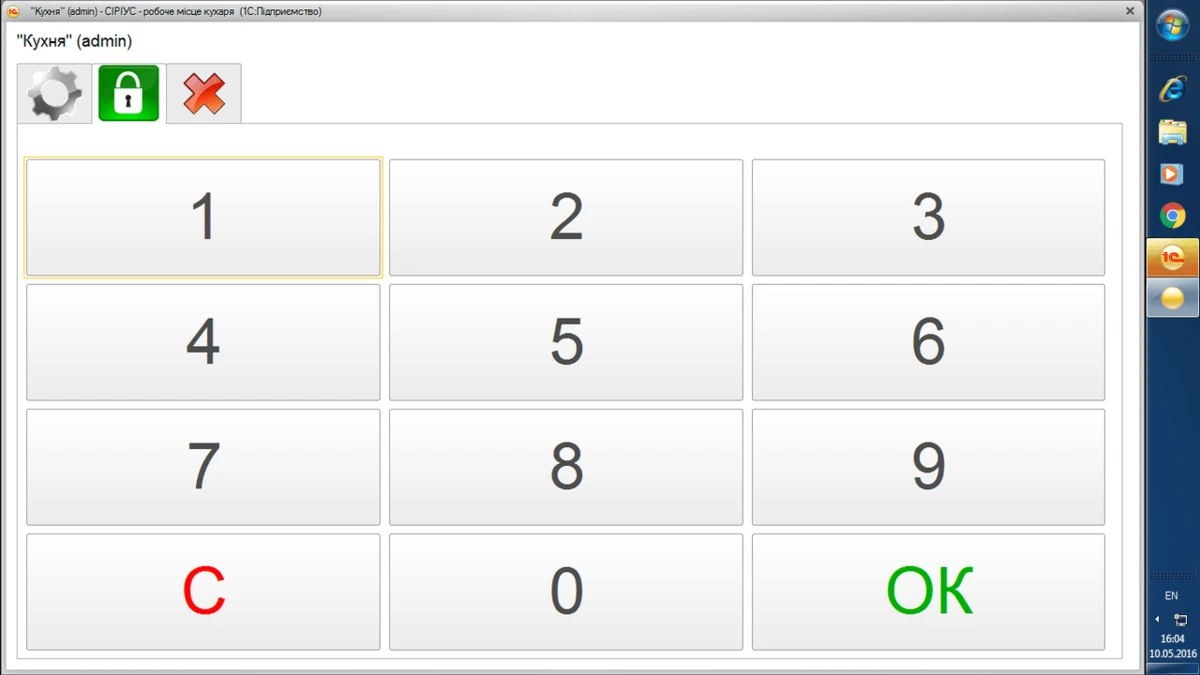
You can log in to the program using a password or a magnetic card.
This is what the main information panel looks like.
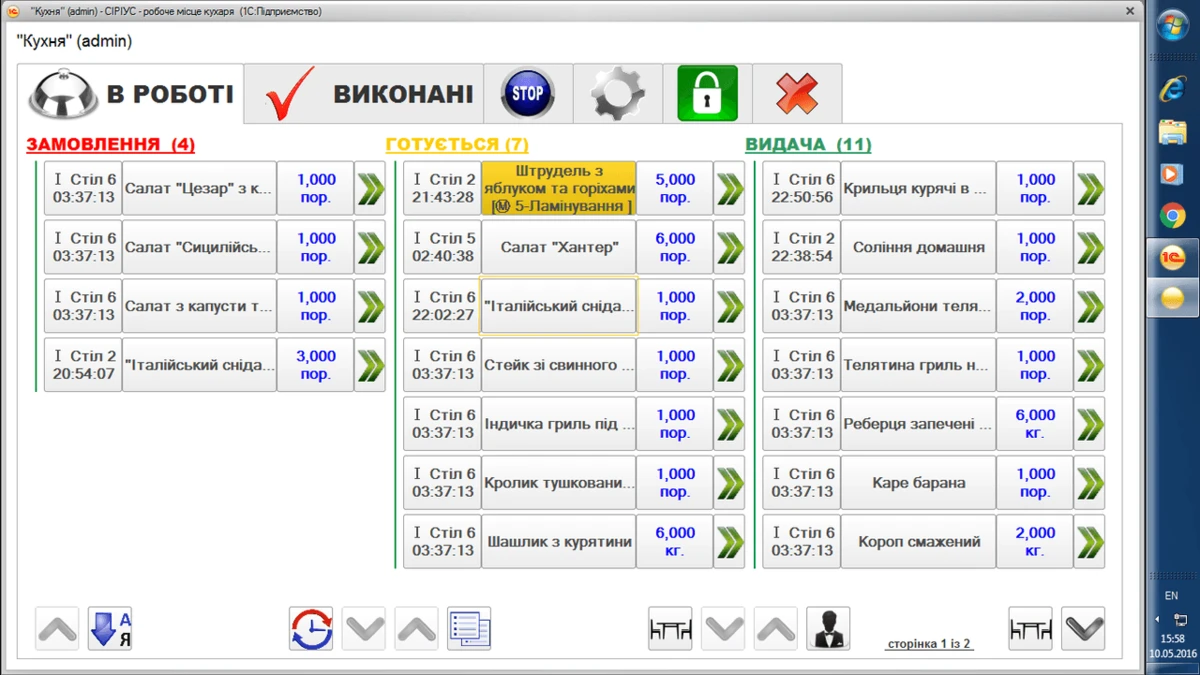
We see three main sections:
- "Orders": here the chef sees which orders the waiters accepted from customers, from which tables, and how much time has passed since the waiter accepted the order;
- "Being prepared": this section contains dishes that the chef has taken into work (marked in the program) and started preparing. The timer shows how much time has passed since preparation began.
- "Dispensing": dishes that are already prepared and waiting to be dispensed.
Adding to the Stop-list.
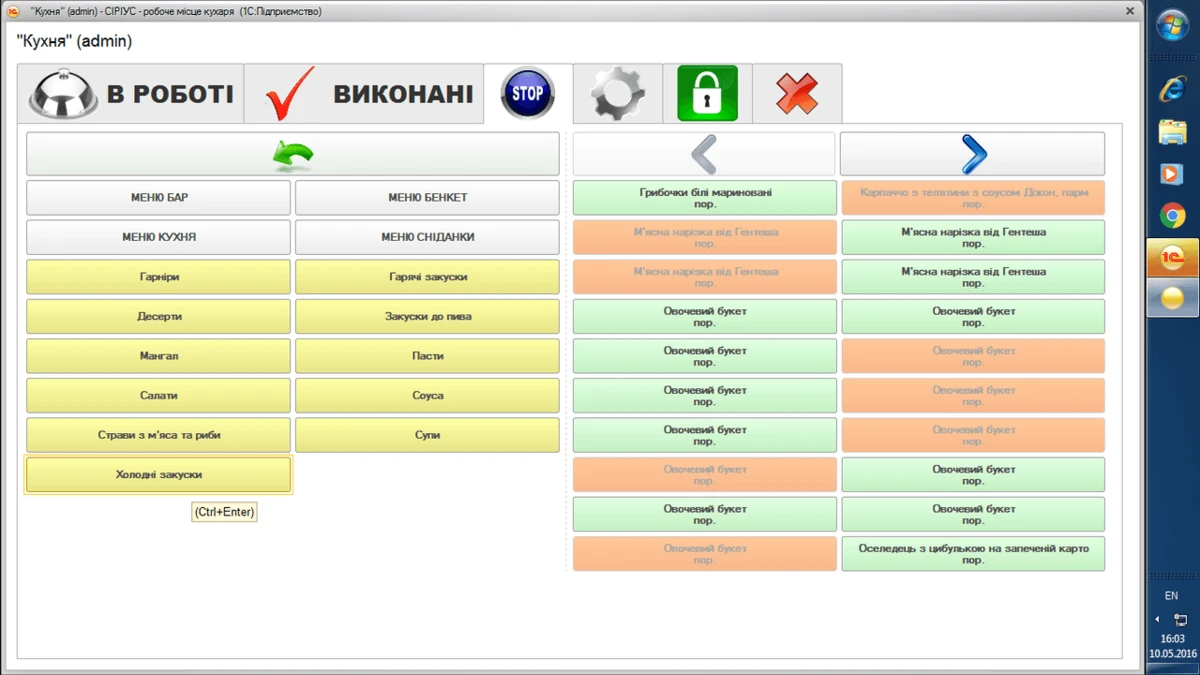
The chef can add dishes that for some reason cannot be prepared to the "stop-list". The waiter cannot add such dishes to an order and can immediately offer the customer something else.
Adding to the stop-list is done by simply clicking on the dish name. Dishes that have already been added to the stop-list are marked in pale orange.
Remove from the Stop-list.
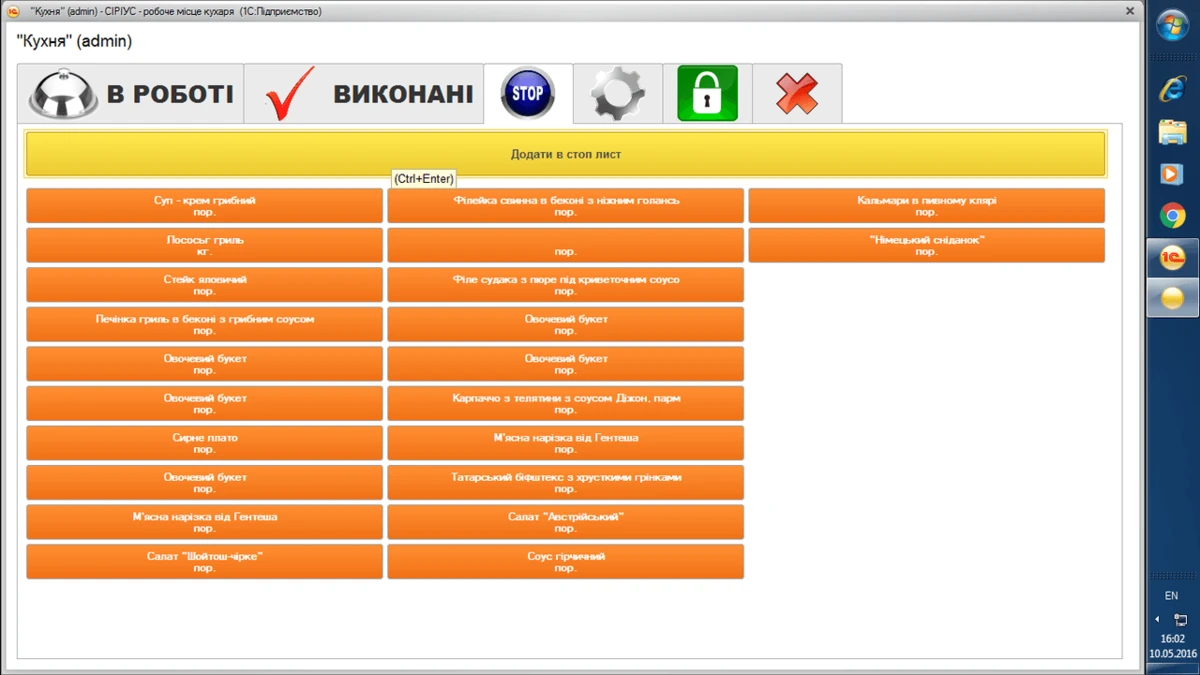
It is enough to click the button with the dish name to return it to the order menu in the waiters' program.
Detailed information about a dish.
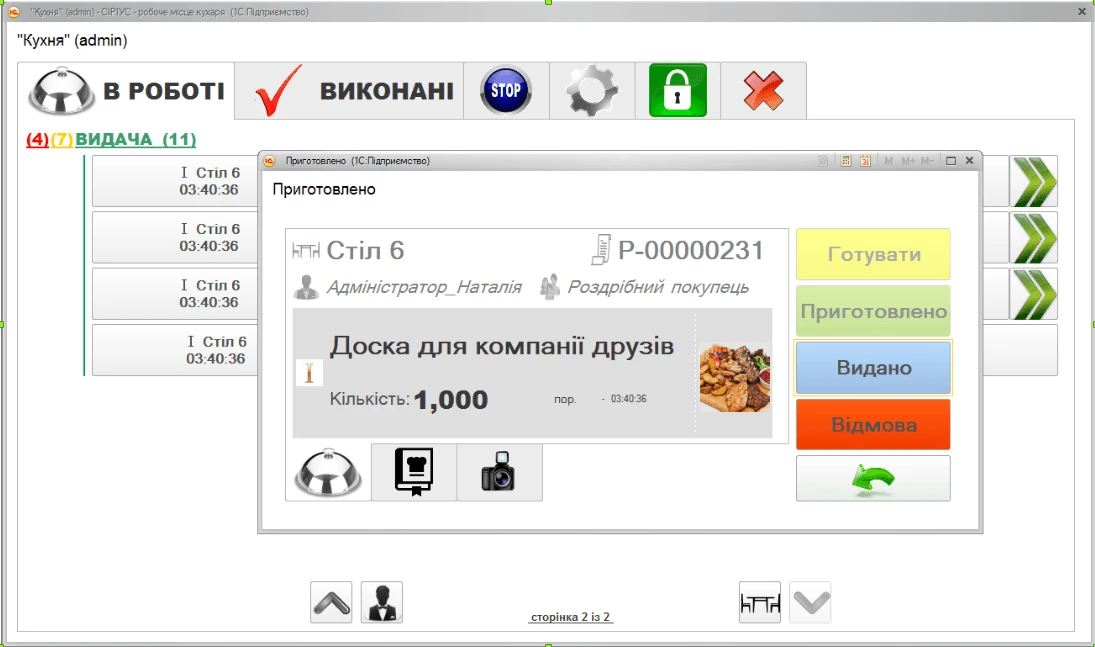
By clicking on a specific dish, we can see complete information about it: name, photo, who accepted the order, table number, modifiers, etc. And also change the status: cook, prepared, dispense, refusal.
Filters by statuses.
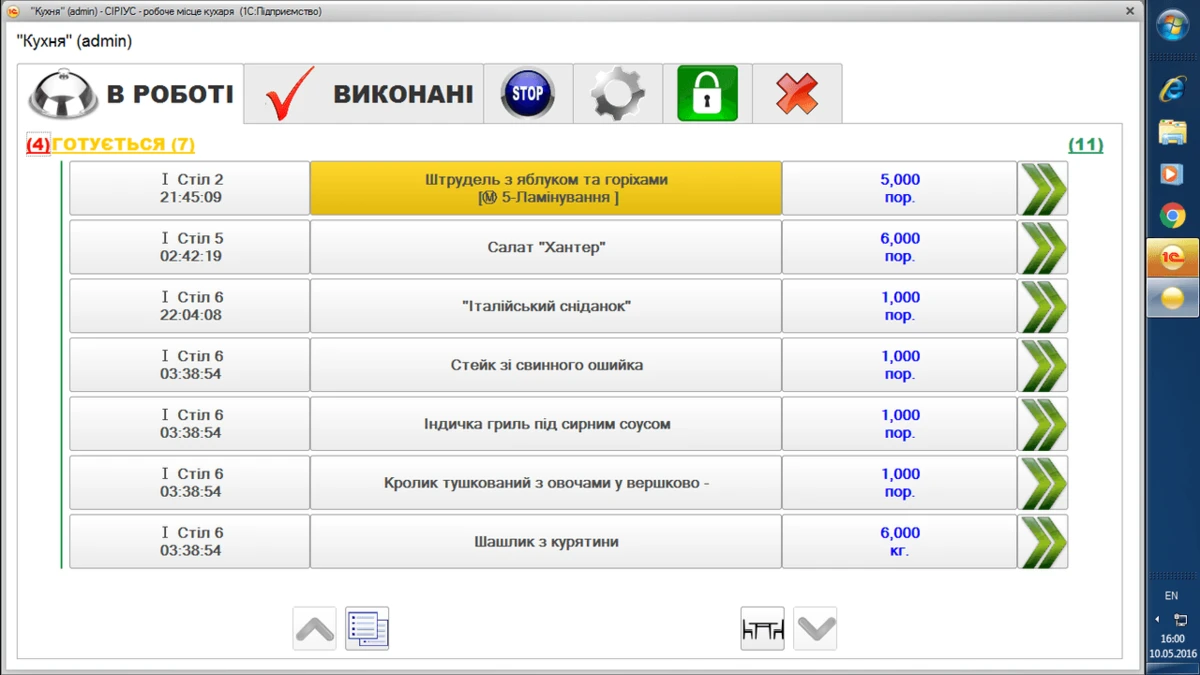
For convenience, you can apply filters by status, time, etc. For example, when you need to see for which tables the chef is already preparing orders (filter by the "Being prepared" status).
Refusal to cook.
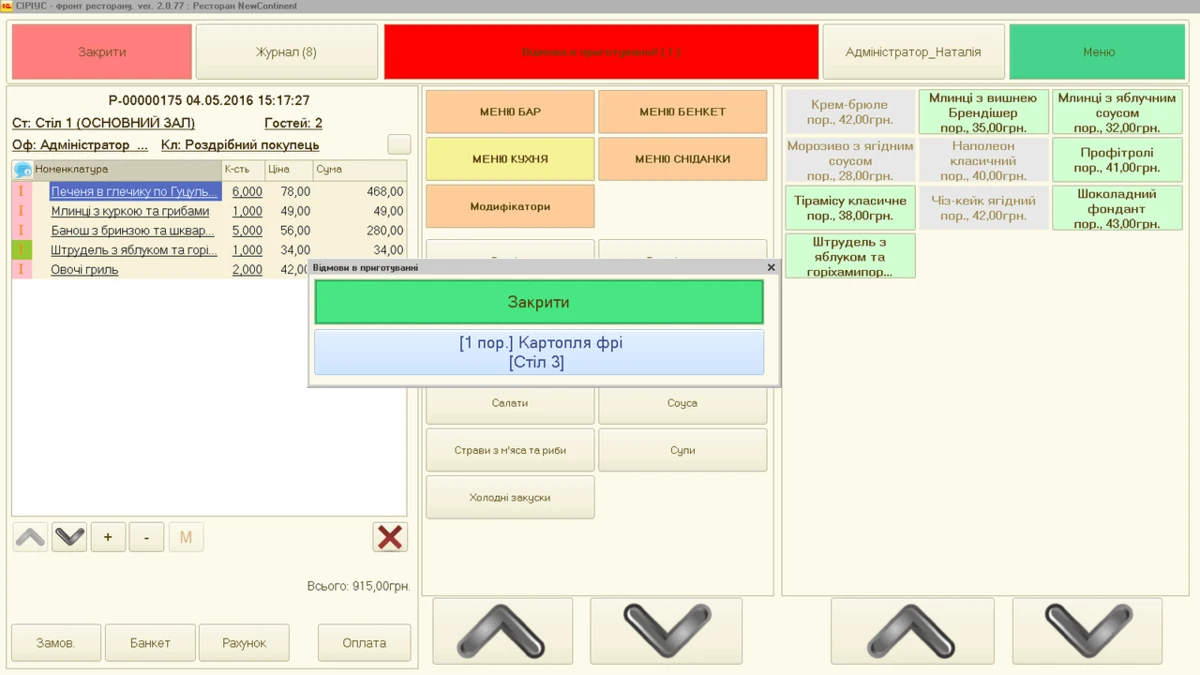
This is what the waiter's interface looks like when the chef refuses to prepare a certain dish. The refusal has the highest priority and is shown on top of other windows.
Waiter's interface.
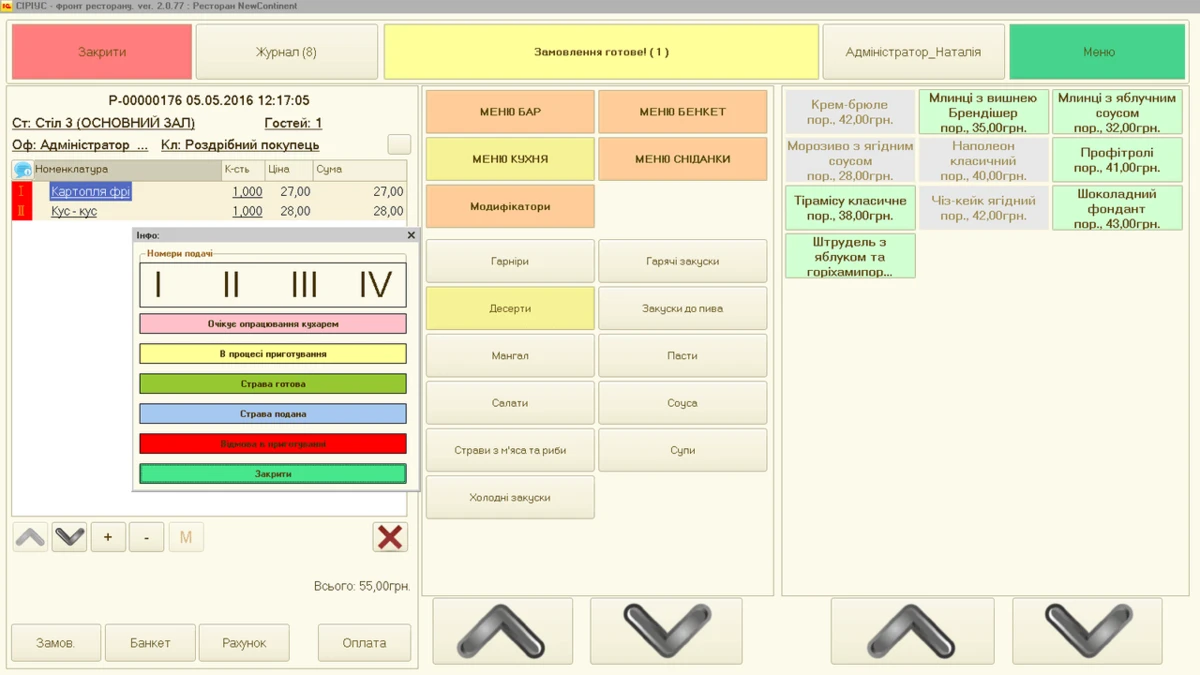
This is a screenshot of the "SIRIUS-Restaurant" program interface for the waiter. Besides the standard menu, there are functions related to the chef's module. In the screenshot they are marked with numbers:
- 1: Notification to the waiter that the corresponding dish is ready;
- 2: Inactive dishes (in the stop-list, marked in grey);
- 3: Colors indicate at what stage the dishes are in the kitchen;
- 4: Explanation of symbolic and color designations for the waiter.
As you can see, the "SIRIUS — chef's workstation" module completely changes the concept of interaction between the kitchen and waiters. The exchange of information between the chef and the waiter is instantaneous. And such old schemes as "waiter - POS terminal - kitchen printer - chef" are no longer relevant.
For all questions, please contact our managers.