
Store automation
Tell us what you need and we will help choose a solution and equipment.
Sirius-Shop retail software: advantages, description, price.
Store automation — equipping a store with a modern software and hardware complex in order to increase work efficiency, boost sales and establish control over business processes.
"Sirius-Shop" is a configuration of BAS software (Business automation software).
"Sirius-Shop" software and the "Cashier workstation" POS kit
Seven advantages of store automation
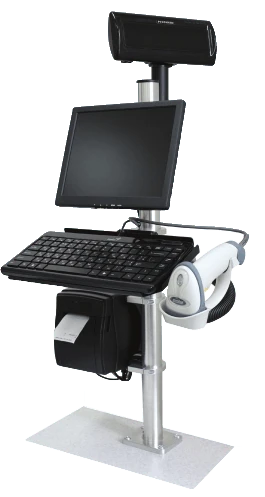
1. Automation increases checkout throughput — salespeople and cashiers will work faster, with a minimal number of errors. This will spare your customers waiting in long queues, increase turnover and, as a result, your profit.
2. Automation significantly increases customer trust in your store. Thanks to a receipt with the exact price and quantity of goods — the customer always knows what they are paying for and is confident they are being treated honestly.
3. Theft prevention — simple and reliable anti-theft systems and video surveillance will protect your establishment from theft.
4. Stock control — will eliminate the possibility of goods being pilfered by staff. Automation makes stocktaking easier.
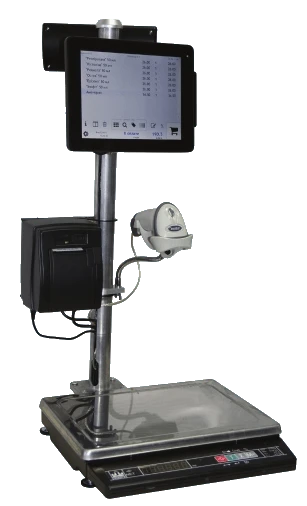
5. Fast assortment replenishment — through automated generation of orders to suppliers.
6. Manage your store at any time, from anywhere. Thanks to modern technologies, you will be able to observe all the processes taking place in the store and monitor analytical indicators such as stock balances, mutual settlements, etc. React instantly to demand dynamics and, as a result, increase your profit.
7. Flexible discounts — automation allows implementing discount systems and promotions. It makes it possible to set any percentage of discount for any categories of customers or goods, up to prohibiting discounts on certain types of goods. You can precisely schedule promotions and sales for any day and time (for example, automate the launch of a sausage promotion every Friday from 18:00 to 22:00).
Store automation consists of two stages. These are the installation of modern retail equipment and software specialized for your type of business.
Retail equipment for store and trade automation:
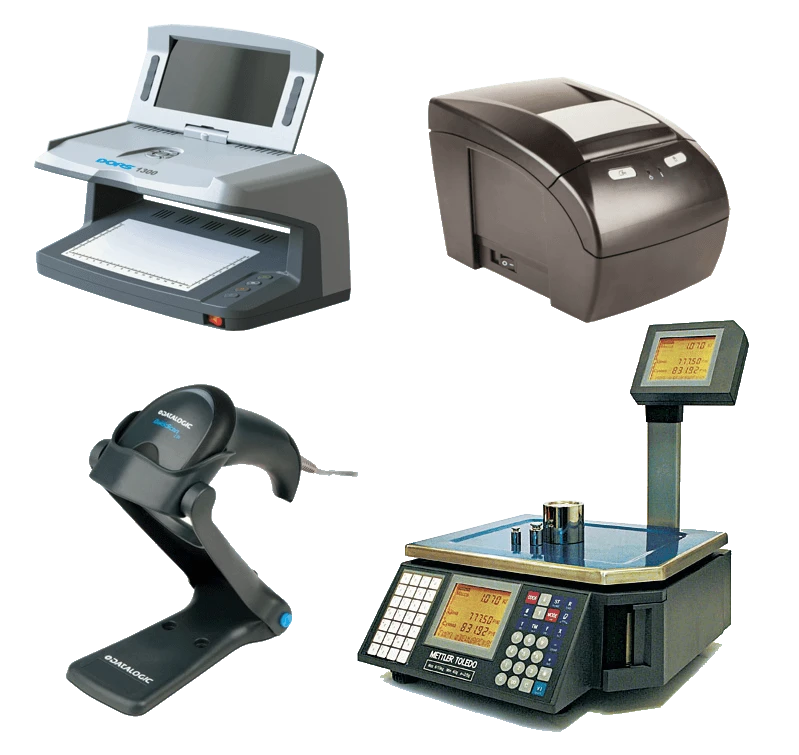
- barcode scanners
- scales with receipt printing
- receipt printers
- label printers
- fiscal printers
- currency detectors
Store software consists of two components: Front office and Back office.
Front office — the part of the system where the salesperson or cashier works. Control of all checkout operations, accounting of current revenue. It has a maximally simple and clear user interface.
"Front Shop" — software for running retail sales. It has a simple and flexible interface and does not require technical skills from the user. It adapts to the specifics of the establishment. The first version was released in 2004, the current version is 4.3
Features of "Front Shop"
Works with retail equipment: scales, fiscal equipment, or software-based fiscal registrars, receipt printers, barcode scanners, card readers ...
Allows working with multiple receipts at once! If a customer at the checkout wants to go back to the sales floor to pick up more goods — the cashier can open another receipt and continue serving other customers in the queue. Even if some items have already been rung up for the first customer.
Logging of user (cashier) operations. "Front Shop" keeps an archive of all events. This makes it possible to view a list of suspicious operations and, by referring to the video surveillance archive, replay any situation.
Flexible configuration of discount cards and promotions. "Front Shop" allows configuring various promotions and discounts on discount cards. It is possible to prohibit discounts on certain goods (a topical issue today is the ban on discounts on cigarettes). Automatic launch of promotions can be scheduled (for example, a discount on salads after 20:00).
Distribution of permissions. Permissions in "Front Shop" — a set of access rights for different users. For example, to allow a cashier to independently cancel an item in an open receipt without fear of the consequences (most often it is precisely this operation that leads to abuse).
One of the most common scenarios of cashier fraud
A customer approaches the checkout with 5 different items.
The cashier rings up all the goods, the receipt is still open.
The customer sees the receipt amount on the monitor, or the cashier tells them, for example, 210 UAH.
The customer gives the cashier 210 UAH.
The customer leaves without taking the receipt.
The cashier removes an item worth 50 UAH from the receipt and closes the receipt, the amount of which is now 160 UAH. That is, 50 UAH less than the real one. The cashier puts 50 UAH in their pocket or remembers that they have a 50 UAH surplus in the register ...
Large supermarkets fight this quite easily. They simply prohibit the cashier from removing items from the receipt. We have all seen cashiers in large supermarkets call security guards to perform cancellations.
The situation is more complicated in small stores, where there is no separate person responsible for performing cancellations. In these cases, one has to either simply prohibit cashiers from performing cancellations, which threatens dissatisfied customers and conflict situations (for example, when a customer does not have enough money but the goods have already been rung up). Or cashiers have to be allowed to perform cancellations.
"Front Shop" solves this problem by keeping statistics. The administrator can monitor cancellations. Usually there should be no more than 5-6 cancellations per shift. Plus, there is always the option to review cancellations in the video archive.
Back office: accounting, reports, analytics.
Back office — the «Sirius Shop» configuration, the part of the system where accountants, operators and administrators work. It is here that goods receiving, expenditure of funds, generation of analytical reports and other operations related to operational accounting are carried out.
Summary
With more than 19 years of experience, we have developed the «Sirius Shop» configuration specifically for the needs of supermarkets and stores. Our configuration is favorably distinguished by its simplicity and flexibility from such typical solutions as «Trade Enterprise Management». At the same time, we managed to use all the capabilities of the platform's analytical reports.
The use of the Data Composition System (DCS) allows users to configure analytical reports with maximum flexibility to obtain any operational accounting data.
If you have any additional questions or are interested in the cost of automating your store — call our specialists: